The report for each match covers what happened — not just the score — in team sports such as football, futsal, or handball.
Goals and cards
Goals — including the scorer and the minute — yellow and red cards, and periods of play (halves, overtime) are linked to the match and incorporated into player and team statistics.
In points-based sports each score counts for what it is worth: when you add a scorer you pick the value (a touchdown 6, a three-pointer 3, a try 5), using the same steps as the live scoreboard buttons, and both the score and the scorer stats take it into account. In football and similar sports every goal is worth 1 and no selector is shown.
When you record a match result you can add the scorers in the same window; if any of them does not fit the score, nothing is saved. "Save and next" takes you straight to the next pending match of the round.
Automatic and manual suspensions
Suspensions due to accumulated cards are calculated automatically based on each player's record, without the organizer having to keep manual track on a match-by-match basis. Additionally, from the advanced statistics tab, the organizer or referee can manually add a suspension to any participant — whether a team or a player, with an optional reason — even in competitions without teams (chess, Go, padel, etc.).
A competition setting decides whether the two yellows from a double-yellow sending-off count towards the yellow-card accumulation suspension. It is on by default; turn it off if your rules don't count them, since the sending-off is already punished separately.
Lineups
Before each match, each team can save its lineup: formation, starters, bench and players not called up, with each player's shirt number. During the match you record substitutions (who goes off, who comes on and in which minute), and a goal can only be credited to a player in the lineup, either as a starter or after coming on.
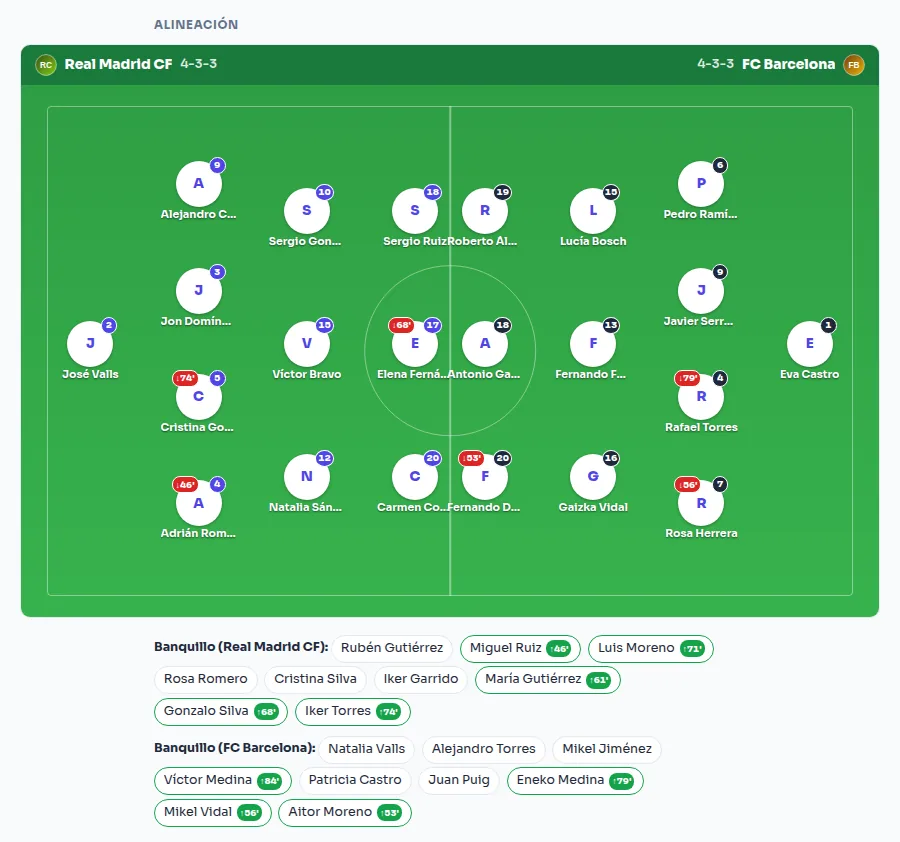
Each team also has a default lineup that pre-fills the lineup for every new match, so you don't have to build it from scratch each round. In the match rules you choose how many players each team fields (for example, 11-a-side, 8-a-side or 7-a-side football), and the editor only offers formations of that size.
Match MVP
The report allows you to highlight the standout player of each match, on an optional basis and without affecting the statistics or the standings — an acknowledgment independent of the result.

Download the report in PDF format
Each match has a button to download its report in PDF format, including the score, goals, and cards, ready to be archived or submitted to a federation without having to create it by hand.
Digital signature
The assigned referee, or the captains of both teams, can sign the report with a single click to confirm the result; the system records who signed it and when. This is not a legally binding signature, but merely a quick confirmation within the platform itself; if the score is corrected after the signature, it is automatically invalidated.