From setting up the competition to the final result: generating the schedule and validating each score are two separate steps, each with its own logic.
Automatic schedule
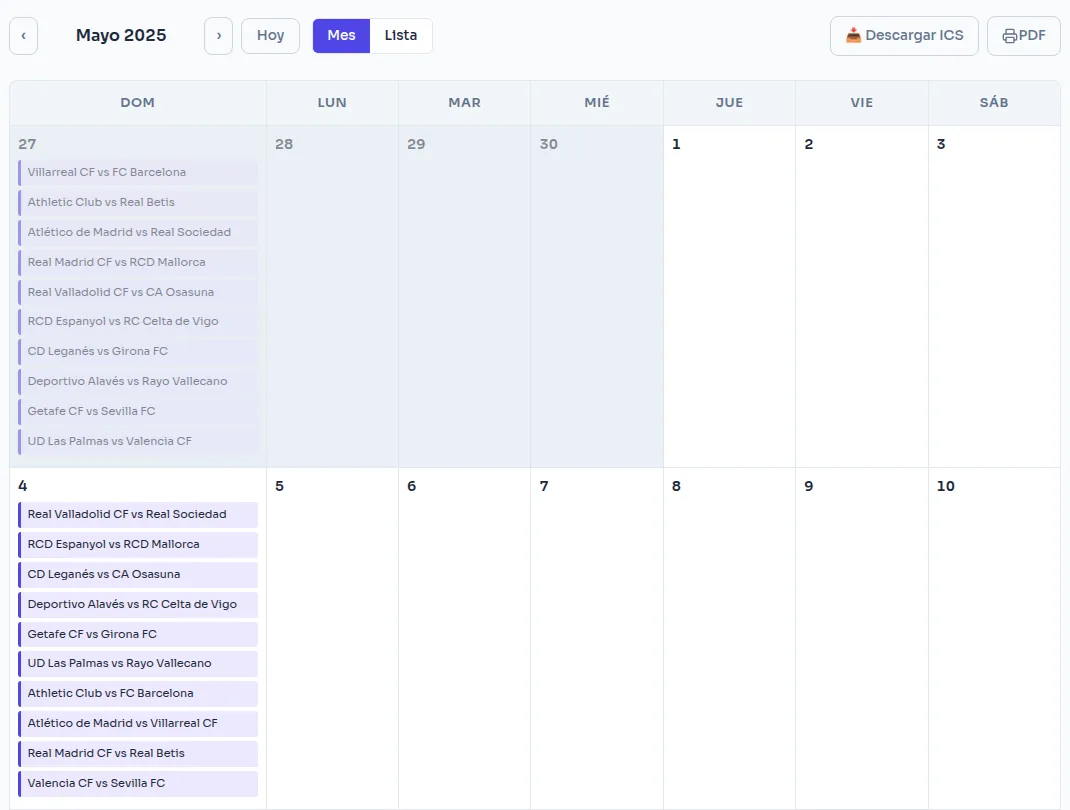
Generate the entire schedule with a single click — round-robin for leagues, knockout bracket for tournaments — in monthly view or list format. The organizer can regenerate it or manually adjust individual matches afterward. For competitions with many participants, the generation runs in the background and sends a notification as soon as it's finished, rather than keeping the screen locked while you wait.

Result confirmation
A team reports the score, and the opponent confirms or disputes it; the organizer only intervenes if there is a disagreement between the two. This prevents a single participant from certifying the results without verifying them.
Walkover and no-show
If a team or player fails to show up, the organizer may record a walkover: the opposing team wins the match without it being played, without the need to enter a false score. It is marked as "W.O." whenever that result appears.
Calendar subscription (ICS)
You can subscribe to a competition's calendar from Google Calendar, Apple Calendar, or Outlook via a
.ics link: the matches appear in each person's personal calendar and are automatically updated if
a date changes.
Two-legged knockout ties
Each knockout round can be a single match or two-legged, chosen round by round (for example, everything two-legged except the final). In a two-legged tie, the winner on aggregate goes through; if the aggregate is level, you enter the penalties or tiebreak on the second leg. Once every match in the round has a result, the next round is generated automatically.