An organization is the home of a club, association or federation: it groups several competitions under one name and shares teams, players, venues and the people who run them across all of them.
Organization or standalone competition?
For a one-off tournament, just create a competition: you don't need an organization. Creating one pays off when:
- You run several competitions with the same teams or players (league and cup, age groups, tournaments throughout the year).
- Several people help you manage, and you want to give them permissions without sharing your account.
- You want a public page of your own for the club with all its competitions, news and pages.
An organization's competitions are created from inside it, in the Competitions tab.
Already have standalone competitions? Bring them in from that same tab or from Edit competition → Organization: their teams and players join the organization's roster, and matches, results and seasons stay the same.
Shared roster
Teams, players and pairs are added once to the organization (one by one or by pasting a list) and then enrolled in each new competition without typing them again. The same team can play the league and the cup at the same time, and its crest, name and players stay up to date everywhere.
Shared resources
The Resources tab holds the venues, sponsors and referees used by every competition in the organization. The organization's brand color also applies to its competitions, unless a competition has its own.
Members and roles
- Owner: whoever created the organization. Has every permission and can transfer ownership to another member.
- Admin: edits the organization, invites and manages members, and can see the audit log.
- Manager: manages teams, players, resources, news and competitions, but not members or the organization's settings.
- Member: can see the organization (even if it is private), with no management permissions.
To add someone, invite them by email from the Members tab (the invitation expires after 7 days) or, if the organization is private, share its access code with them. An admin can then promote them to manager.
Public or private
A public organization is listed in the organization directory and anyone can see its page. A private one is only visible to its members: when you create it, an access code is generated that you can share with whoever you want to let in. You can switch at any time from Edit.
The organization page
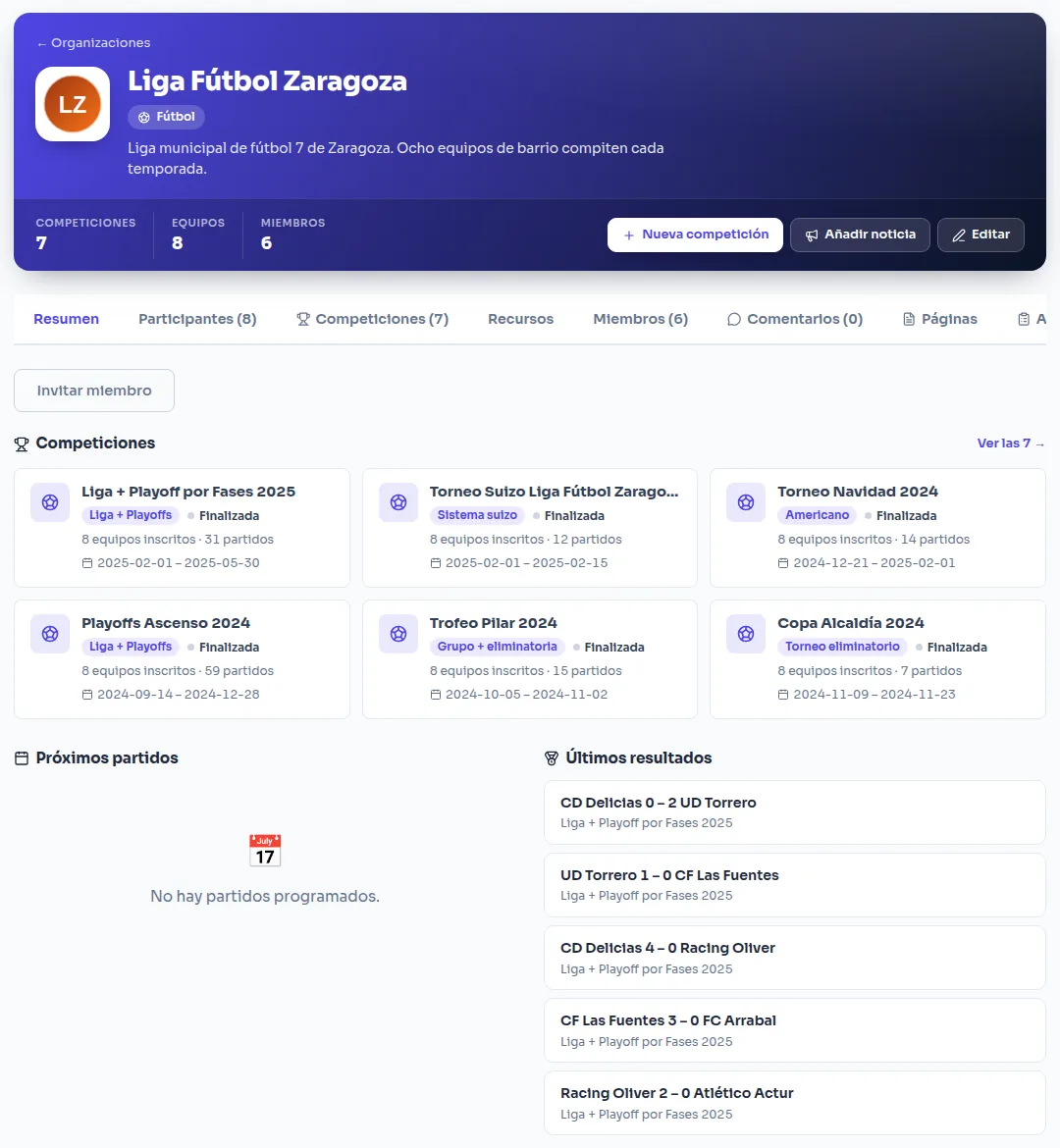
Every organization has its own page with an overview of upcoming matches and latest results, the list of competitions, news (with scheduled publishing and pinned posts), custom markdown pages —for rules, contact details or registration— and comments.
Payments and integrations
The organization can connect its own payment account to collect the entry fee for all its competitions, and set up webhooks that notify your own systems (Discord, spreadsheets, your website…) when a match ends, a payment arrives or someone registers.